
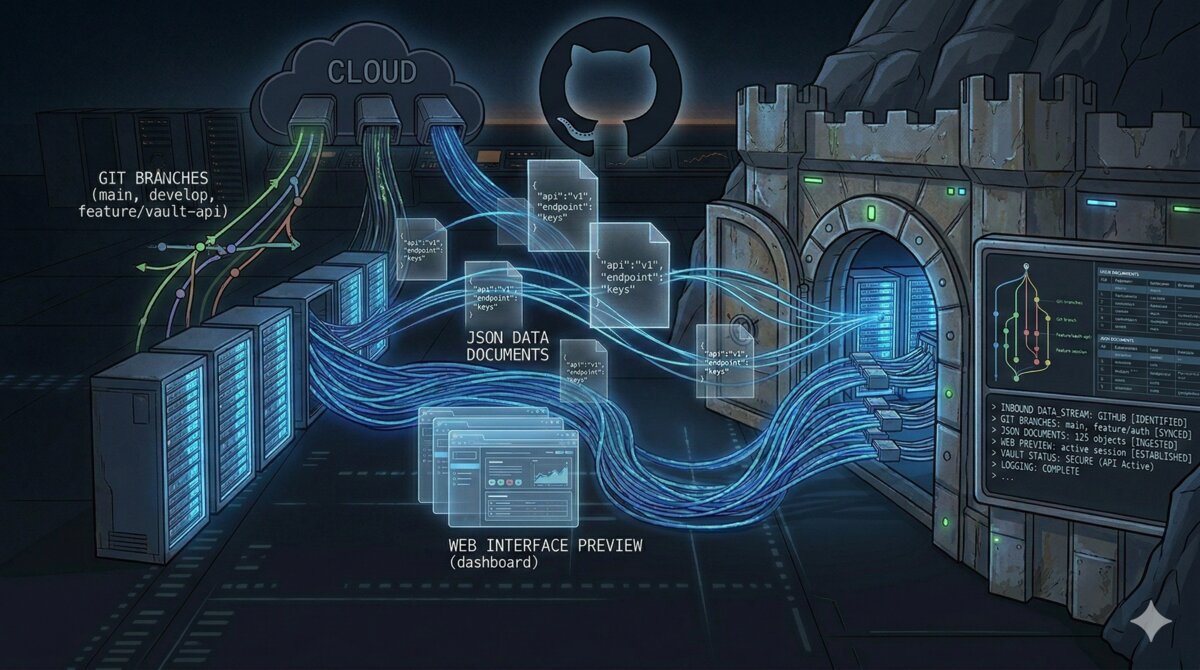
AI-generated — show prompt
A dark moody digital illustration of a fortress vault with glowing blue server racks inside, connected by network cables to a floating GitHub octocat silhouette above. Three distinct data streams (git branches, JSON documents, and a web interface preview) flow from the cloud into the vault through different channels. Color palette: deep navy (#101218), electric blue (#468CDC) data streams, subtle green for the git branch stream. Technical illustration style, slightly stylized, 16:9 landscape, dark background suitable for text overlay.
Most GitHub backup tools do one thing: clone the git data. That gets you commits, branches, and tags. It does NOT get you issues, pull requests, labels, milestones, releases, or wikis. If GitHub locks your account tomorrow (ToS violation, billing issue, acquisition-related policy change), those are gone.
I run about 60 repos across a personal account and an organization. I wanted three things: bare git clones on NFS for disaster recovery, metadata exported as JSON for long-term archival, and a browsable Gitea instance with everything visible in a web UI. No single tool does all three, so I built a pipeline with four.
The architecture
GitHub (personal account + organization)
  |
  |-- gickup (every 4h) --> NFS bare clones
  |
  |-- gitea-sync CronJob (every 4h, offset 30m) --> Gitea git push
  |
  |-- gitea-migrate CronJob (nightly 03:00) --> Gitea (metadata import)
  |     New repos: created with full metadata
  |     Changed repos: deleted + re-created (Gitea has no incremental sync)
  |
  |-- python-github-backup (nightly 02:00) --> NFS metadata JSON
Four tools, four concerns, running as Kubernetes workloads with NFS-backed persistent volumes. Everything managed with Terraform.
Tool 1: gickup for bare git clones
gickup is a Go binary that mirrors git repos from various sources to various destinations. Config is YAML, it has a built-in cron scheduler, and it supports GitHub, Gitea, GitLab, and local destinations out of the box.
The config is minimal:
source:
  github:
    - user: your-username
      token_file: /secrets/github-token
      wiki: true
    - organization: your-org
      token_file: /secrets/github-token-org
      wiki: true

destination:
  local:
    - path: /backup/repos
      bare: true

cron: "0 */4 * * *"
Two GitHub sources (personal account and org), each with their own PAT. One destination: bare clones to NFS. Runs every 4 hours. The wiki: true flag also clones any associated wiki repos. The Gitea git sync is handled by a separate CronJob (covered below) because gickup’s built-in Gitea destination only works with mirror repos, which can’t import metadata.
Note the separate tokens per source. If you’re backing up an org, create a PAT scoped to that org specifically. Using your personal token for org repos can hit permission issues depending on the org’s OAuth app policy.
gickup runs as a long-lived Deployment (not a CronJob) because it has its own internal cron scheduler:
resource "kubernetes_deployment_v1" "gickup" {
  # ...
  spec {
    template {
      spec {
        container {
          image = "buddyspencer/gickup:latest"
          args  = ["/config/gickup.yml"]

          volume_mount {
            name       = "config"
            mount_path = "/config"
            read_only  = true
          }
          volume_mount {
            name       = "tokens"
            mount_path = "/secrets"
            read_only  = true
          }
          volume_mount {
            name       = "backup-repos"
            mount_path = "/backup/repos"
          }
        }
      }
    }
  }
}
Tokens are mounted as files via a Kubernetes Secret (gickup reads them with token_file, not environment variables). The NFS PVC is mounted at /backup/repos. On my Synology NAS, that maps to /volume1/cloud-backups/github-backup/repos.
What gickup gives you
After the first run, you’ll have a directory tree of bare git repos:
/backup/repos/
├── your-username/
│   ├── project-a.git/
│   ├── project-b.git/
│   └── project-c.git/
└── your-org/
    ├── infra-repo.git/
    └── website.git/
These are full bare clones. You can git clone /backup/repos/your-username/project-a.git and get everything: all branches, all tags, full history.
What gickup does NOT give you
Issues, pull requests, labels, milestones, releases, and project boards. gickup is a git mirroring tool: it does git clone --bare and git push --mirror. The GitHub API metadata that lives outside the git repo is invisible to it.
Tool 2: python-github-backup for metadata JSON
python-github-backup is the opposite of gickup: it focuses on the API metadata. It uses the GitHub REST API to export issues, pull requests, comments, events, labels, milestones, releases, and assets as JSON files on disk.
The command is verbose but that’s because you’re explicitly opting into each type of metadata:
github-backup your-username \
  -t "$GITHUB_TOKEN" \
  --private --repositories --bare \
  --pulls --pull-details --pull-commits --pull-comments \
  --issues --issue-comments --issue-events \
  --labels --milestones --releases --assets --wikis \
  --incremental \
  -o /backup/metadata
The --incremental flag is important: it only fetches metadata newer than the last run. Without it, you’re hitting the GitHub API for every issue on every repo every night, which will burn through your rate limit fast (5,000 requests/hour for authenticated users).
For organizations, add --organization to the command and use the org name instead of a username:
github-backup your-org \
  -t "$ORG_GITHUB_TOKEN" \
  --private --repositories --bare \
  --pulls --pull-details --pull-commits --pull-comments \
  --issues --issue-comments --issue-events \
  --labels --milestones --releases --assets --wikis \
  --organization \
  --incremental \
  -o /backup/metadata
Without --organization, the tool treats the argument as a username, finds zero repos, and exits silently. Not a great error mode.
This runs as a Kubernetes CronJob at 02:00 UTC:
resource "kubernetes_cron_job_v1" "github_metadata_backup" {
  spec {
    schedule = "0 2 * * *"

    job_template {
      spec {
        template {
          spec {
            restart_policy = "OnFailure"

            container {
              name  = "backup"
              image = "ghcr.io/josegonzalez/python-github-backup:latest"

              command = ["/bin/sh", "-c"]
              args = [
                <<-EOT
                  set -e
                  github-backup your-username \
                    -t "$GITHUB_TOKEN" \
                    --private --repositories --bare \
                    --pulls --pull-details --pull-commits --pull-comments \
                    --issues --issue-comments --issue-events \
                    --labels --milestones --releases --assets --wikis \
                    --incremental \
                    -o /backup/metadata

                  github-backup your-org \
                    -t "$ORG_GITHUB_TOKEN" \
                    --private --repositories --bare \
                    --pulls --pull-details --pull-commits --pull-comments \
                    --issues --issue-comments --issue-events \
                    --labels --milestones --releases --assets --wikis \
                    --organization \
                    --incremental \
                    -o /backup/metadata
                EOT
              ]

              env {
                name = "GITHUB_TOKEN"
                value_from {
                  secret_key_ref {
                    name = "github-backup"
                    key  = "GITHUB_TOKEN"
                  }
                }
              }
              env {
                name = "ORG_GITHUB_TOKEN"
                value_from {
                  secret_key_ref {
                    name = "github-backup"
                    key  = "ORG_GITHUB_TOKEN"
                  }
                }
              }
            }
          }
        }
      }
    }
  }
}
What python-github-backup gives you
A tree of JSON files per repo:
/backup/metadata/
└── your-username/
    └── some-project/
        ├── issues/
        │   ├── 1.json
        │   ├── 2.json
        │   └── ...
        ├── pull_requests/
        ├── labels/
        ├── milestones/
        ├── releases/
        └── repository.json
Each issue is a standalone JSON file with the full GitHub API response: title, body, state, assignees, labels, comments, events. You can grep through these, parse them with jq, or feed them into a different system. This is your archival copy: not pretty, but complete and durable.
What python-github-backup does NOT give you
A browsable UI. The JSON files are raw API exports. You’re not going to casually browse your issues in a file manager. That’s what Gitea is for.
Tool 3: Gitea migration API for a browsable mirror
This is where it gets interesting (and where I spent 3 hours debugging a silent failure).
Gitea is a self-hosted Git forge. It has a migration API (POST /api/v1/repos/migrate) that can import a GitHub repo with all its metadata: issues, pull requests, labels, milestones, releases, and wikis. Combined with gitea-sync pushing git updates every 4 hours, you get a self-hosted GitHub clone with a real web UI.
The Gitea deployment
Gitea runs as a single-replica Deployment with SQLite (good enough for ~60 repos) and a 10Gi PVC on local storage:
resource "kubernetes_deployment_v1" "gitea" {
  spec {
    template {
      spec {
        container {
          image = "docker.gitea.com/gitea:1.25"

          env {
            name  = "GITEA__server__ROOT_URL"
            value = "https://gitea.your-domain.com/"
          }
          env {
            name  = "GITEA__server__DISABLE_SSH"
            value = "true"
          }
          env {
            name  = "GITEA__database__DB_TYPE"
            value = "sqlite3"
          }
          env {
            name  = "GITEA__service__DISABLE_REGISTRATION"
            value = "true"
          }
          env {
            name  = "GITEA__mirror__ENABLED"
            value = "true"
          }
          env {
            name  = "GITEA__security__INSTALL_LOCK"
            value = "true"
          }

          volume_mount {
            name       = "data"
            mount_path = "/data"
          }
        }
      }
    }
  }
}
INSTALL_LOCK=true skips the setup wizard. You create the admin user via CLI after first boot:
kubectl exec -it deploy/gitea -n github-backup -- \
  gitea admin user create \
  --username admin --password <pass> --email admin@local --admin
DISABLE_REGISTRATION=true because this is a private backup instance, not a public forge.
The migration CronJob
This is the core of the metadata import. A nightly CronJob that lists all repos from GitHub and calls Gitea’s migration API for each one. There’s a catch though: Gitea has no API to incrementally sync metadata to existing repos. The migration endpoint (POST /repos/migrate) is a one-shot import. There’s no re-migrate, no “sync issues from upstream”, nothing. There’s a draft PR for it that’s been stalled since early 2025 with database constraint bugs. The issue creation API doesn’t let you set issue numbers either, so a custom sync script would break number parity with GitHub.
The only way to get fresh metadata: delete the repo in Gitea and re-create it via migration. To avoid re-importing all 60 repos every night, the script decides which repos to refresh based on two signals:
- Recently updated: GitHub’s
updated_atchanged in the last 25 hours - Missing metadata: the repo exists in Gitea but has zero issues and zero releases, while GitHub has open issues (meaning metadata was never imported)
The second check is important: if you’re adding this to an existing Gitea instance where repos were created without metadata import (e.g. via mirror: true or a previous version of this script that skipped existing repos), it catches those and backfills them.
#!/bin/sh
set -e
apk add --no-cache curl jq >/dev/null 2>&1

GITEA_URL="http://gitea.github-backup.svc.cluster.local:3000"
# Re-migrate repos updated in the last 25h (1h overlap for safety)
# Uses epoch arithmetic (portable across BusyBox/GNU/BSD date)
SINCE=$(date -u -d "@$(($(date +%s) - 90000))" '+%Y-%m-%dT%H:%M:%SZ')

migrate_repos() {
  local github_token="$1"
  local github_endpoint="$2"
  local gitea_owner="$3"

  page=1
  while true; do
    # Fetch repos with updated_at and open issue count
    repo_data=$(curl -sf \
      -H "Authorization: token $github_token" \
      "https://api.github.com/$github_endpoint?per_page=100&page=$page" \
      | jq -r '.[] | "\(.full_name) \(.updated_at) \(.open_issues_count)"')

    [ -z "$repo_data" ] && break

    echo "$repo_data" | while read -r full_name updated_at gh_issues; do
      repo_name=$(echo "$full_name" | cut -d/ -f2)

      # Check if repo exists in Gitea and get its metadata state
      gitea_resp=$(curl -sf \
        "$GITEA_URL/api/v1/repos/$gitea_owner/$repo_name" \
        -H "Authorization: token $GITEA_API_TOKEN" 2>/dev/null)
      gitea_exists=$?

      if [ $gitea_exists -eq 0 ] && [ -n "$gitea_resp" ]; then
        gitea_issues=$(echo "$gitea_resp" | jq -r '.open_issues_count // 0')
        gitea_releases=$(echo "$gitea_resp" | jq -r '.release_counter // 0')

        # Refresh if: updated recently OR metadata never imported
        needs_refresh=false
        if [ "$updated_at" \> "$SINCE" ] || [ "$updated_at" = "$SINCE" ]; then
          needs_refresh=true
          echo "REFRESH $full_name (updated $updated_at)"
        elif [ "$gh_issues" -gt 0 ] && [ "$gitea_issues" -eq 0 ] \
             && [ "$gitea_releases" -eq 0 ]; then
          needs_refresh=true
          echo "REFRESH $full_name (metadata missing)"
        fi

        if [ "$needs_refresh" = "true" ]; then
          curl -s -o /dev/null \
            -X DELETE "$GITEA_URL/api/v1/repos/$gitea_owner/$repo_name" \
            -H "Authorization: token $GITEA_API_TOKEN"
        else
          echo "SKIP $full_name (no changes since $SINCE)"
          continue
        fi
      else
        echo "NEW $full_name"
      fi

      status=$(curl -s -o /dev/null -w "%{http_code}" \
        -X POST "$GITEA_URL/api/v1/repos/migrate" \
        -H "Authorization: token $GITEA_API_TOKEN" \
        -H "Content-Type: application/json" \
        -d "$(jq -n \
          --arg clone "https://github.com/$full_name.git" \
          --arg token "$github_token" \
          --arg owner "$gitea_owner" \
          --arg name "$repo_name" \
          '{
            clone_addr: $clone,
            auth_token: $token,
            repo_owner: $owner,
            repo_name: $name,
            service: "github",
            mirror: false,
            issues: true,
            pull_requests: true,
            labels: true,
            milestones: true,
            releases: true,
            wiki: true,
            private: true
          }')")

      case "$status" in
        201) echo "  -> Migrated successfully" ;;
        *)   echo "  -> ERROR: migrate returned HTTP $status" ;;
      esac
    done

    page=$((page + 1))
  done
}

# Personal repos
migrate_repos "$GITHUB_TOKEN" "users/your-username/repos" "your-username"

# Org repos
migrate_repos "$ORG_GITHUB_TOKEN" "orgs/your-org/repos" "your-org"
The ISO 8601 string comparison ([ "$updated_at" \> "$SINCE" ]) works because these timestamps are lexicographically sortable. GitHub’s updated_at changes when issues, PRs, releases, comments, or labels change: exactly what we care about. On a typical night, only a handful of repos out of 60 actually need refreshing.
For organizations, the endpoint is orgs/{name}/repos. For users, it’s users/{name}/repos. Using the wrong one returns zero results without an error.
Caveats of the delete-and-recreate approach
This works, but it’s not perfect. A few things to know:
- Brief unavailability: while a repo is being refreshed, there’s a window (seconds to minutes depending on how many issues/PRs it has) where it doesn’t exist in Gitea. The gitea-sync job handles this gracefully since it skips missing repos. But if you’re browsing Gitea during the 3am migration, you might hit a 404.
- GitHub rate limits: each re-migration costs GitHub API calls to fetch all issues, PRs, comments, and releases. For repos with thousands of issues, this adds up. The 5,000 requests/hour authenticated limit hasn’t been a problem for me at ~60 repos, but if you have repos with 10k+ issues, keep an eye on it.
updated_atis coarse: GitHub updates this timestamp for a lot of things (pushes, issue activity, settings changes, Dependabot alerts). So some repos will get re-migrated even when no issue/PR metadata actually changed: just a code push. False positives are harmless, just slightly wasteful.- No Gitea-side state survives: if you’ve added anything directly in Gitea (comments, labels, custom settings), it gets wiped on refresh. This is a backup mirror, not a collaboration platform, so this hasn’t been a problem in practice.
The mirror:true gotcha (this one cost me 3 hours)
Gitea’s migration API accepts a mirror boolean. When mirror: true, Gitea sets up a pull mirror that periodically fetches from the remote (configurable interval). Sounds perfect: metadata import AND ongoing git sync in one call.
Except it doesn’t work that way.
When mirror: true, Gitea silently ignores ALL metadata flags. It creates the mirror repo, sets up the periodic git fetch, and skips the issues, pull_requests, labels, milestones, and releases parameters entirely. No error, no warning. The API returns 201. The repo shows up in Gitea. It just has zero issues, zero PRs, zero labels.
I confirmed this by timing the API calls. With mirror: true, each migration completed in 2-3 seconds (just a git clone). With mirror: false, the same repos took 10-30 seconds because Gitea was actually hitting the GitHub API to fetch all the issue and PR data.
You also can’t convert a non-mirror repo to a mirror after the fact. PATCH /api/v1/repos/{owner}/{repo} with mirror: true is silently ignored on non-mirror repos.
The fix: use mirror: false in the migration (so metadata actually gets imported) and handle git sync separately.
You might think gickup’s built-in Gitea destination would handle this. It doesn’t. gickup creates repos on Gitea as mirrors, so when a non-mirror repo already exists (created by gitea-migrate), gickup silently skips it. No error, no warning. It just moves to the next repo and your commits never show up. I watched it process 60 repos every 4 hours for days before noticing half of them were being silently ignored.
The actual fix: a separate CronJob that clones bare from GitHub and does a plain git push --force to Gitea. Works on any repo regardless of mirror flag.
The gitea-sync CronJob
This is the piece that keeps Gitea repos up to date with GitHub. It runs every 4 hours (offset 30 minutes from gickup), lists all repos from the GitHub API, and pushes each one to the matching Gitea repo:
#!/bin/sh
set -e
apk add --no-cache curl jq >/dev/null 2>&1

GITEA_URL="http://gitea.github-backup.svc.cluster.local:3000"

sync_repos() {
  local github_token="$1"
  local github_endpoint="$2"
  local gitea_owner="$3"

  page=1
  while true; do
    repos=$(curl -sf \
      -H "Authorization: token $github_token" \
      "https://api.github.com/$github_endpoint?per_page=100&page=$page" \
      | jq -r '.[].full_name // empty')

    [ -z "$repos" ] && break

    for full_name in $repos; do
      repo_name=$(echo "$full_name" | cut -d/ -f2)

      # Skip if repo doesn't exist in Gitea yet (gitea-migrate handles creation)
      gitea_status=$(curl -s -o /dev/null -w "%{http_code}" \
        "$GITEA_URL/api/v1/repos/$gitea_owner/$repo_name" \
        -H "Authorization: token $GITEA_API_TOKEN")
      if [ "$gitea_status" != "200" ]; then
        echo "SKIP $gitea_owner/$repo_name (not in Gitea yet)"
        continue
      fi

      echo "SYNC $full_name -> $gitea_owner/$repo_name"
      tmp=$(mktemp -d)

      if git clone --bare --quiet \
        "https://x-access-token:$github_token@github.com/$full_name.git" "$tmp"; then
        push_url="http://gitea-token:$GITEA_API_TOKEN@gitea.github-backup.svc.cluster.local:3000/$gitea_owner/$repo_name.git"
        git -C "$tmp" push --force --all "$push_url" && \
        git -C "$tmp" push --force --tags "$push_url" && \
        echo "  -> OK" || echo "  -> PUSH FAILED"
      else
        echo "  -> CLONE FAILED"
      fi

      rm -rf "$tmp"
    done

    page=$((page + 1))
  done
}

# Personal repos
sync_repos "$GITHUB_TOKEN" "users/your-username/repos" "your-username"

# Org repos
sync_repos "$ORG_GITHUB_TOKEN" "orgs/your-org/repos" "your-org"
It skips repos that don’t exist in Gitea yet (gitea-migrate handles initial creation with metadata). For repos that do exist, it clones bare from GitHub into a temp directory, pushes all branches and tags to Gitea, and cleans up. The --force flag ensures Gitea always matches GitHub exactly, even after force-pushes or rebases on the source.
This runs as a Kubernetes CronJob using alpine/git (which has git pre-installed, unlike plain alpine).
Token scopes: create with ALL scopes
Another gotcha. The Gitea API token needs ALL scopes to import metadata during migration. My first token had write:repository and write:organization but was missing write:issue. The migration returned 201, the repos were created, but the issues simply weren’t imported.
When I queried the issues endpoint directly to debug, Gitea was kind enough to tell me:
{
  "message": "token does not have at least one of required scope(s), required=[read:issue]"
}
The migration endpoint doesn’t check or report insufficient scopes for metadata import. It just silently skips whatever it can’t write. Create your Gitea API token with ALL scopes and save yourself the debugging session.
Repos with large release assets
Two of my 60 repos failed on the first migration attempt with HTTP 500. The Gitea logs showed:
InternalServerError: GET https://api.github.com/.../releases/assets/38674475: 502GitHub returned 502 when Gitea tried to download large release binary assets. This is transient: GitHub’s CDN occasionally fails on large asset downloads. I deleted the two failed repos from Gitea and re-ran the migration. Both succeeded on the second try.
If you have repos with very large release assets, you might hit this more often. You can set releases: false in the migration payload for those specific repos as a workaround.
Storage: NFS with the CSI driver
All backup data lands on a Synology NAS via NFS. I use the nfs.csi.k8s.io driver with two separate PVs: one for git bare clones (50Gi), one for metadata JSON (10Gi).
resource "kubernetes_storage_class_v1" "nfs_github_backup" {
  storage_provisioner = "nfs.csi.k8s.io"
  metadata {
    name = "nfs-github-backup"
  }
  parameters = {
    server = "10.2.254.211"
    share  = "/volume1/cloud-backups/github-backup"
  }
  mount_options = [
    "nfsvers=4.1",
    "noresvport",
    "timeo=600",
    "hard",
    "noac"
  ]
}
The noac mount option disables attribute caching. This matters when multiple pods write to the same NFS share: without it you can get stale file handles and write conflicts.
hard means the NFS client retries indefinitely on timeout instead of returning an error. For backups, this is what you want: a temporary NAS hiccup shouldn’t fail the entire job.
Secrets management with SOPS
All tokens live in a SOPS-encrypted JSON file alongside the Terraform code:
{
  "GITHUB_TOKEN": "ENC[AES256_GCM,data:...,type:str]",
  "ORG_GITHUB_TOKEN": "ENC[AES256_GCM,data:...,type:str]",
  "GITEA_ADMIN_PASSWORD": "ENC[AES256_GCM,data:...,type:str]",
  "GITEA_API_TOKEN": "ENC[AES256_GCM,data:...,type:str]"
}
Terraform reads this with the carlpett/sops provider:
data "sops_file" "github_backup_secrets" {
  source_file = "github-backup-secrets.enc.json"
}

resource "kubernetes_secret_v1" "github_backup" {
  data = {
    "GITHUB_TOKEN"     = data.sops_file.github_backup_secrets.data["GITHUB_TOKEN"]
    "ORG_GITHUB_TOKEN" = data.sops_file.github_backup_secrets.data["ORG_GITHUB_TOKEN"]
    "GITEA_ADMIN_PASS" = data.sops_file.github_backup_secrets.data["GITEA_ADMIN_PASSWORD"]
    "GITEA_API_TOKEN"  = data.sops_file.github_backup_secrets.data["GITEA_API_TOKEN"]
  }
}
I encrypt with age (simpler than GPG for personal use). Edit secrets with sops github-backup-secrets.enc.json: it decrypts in-place, opens your editor, and re-encrypts on save.
The schedule
Everything runs on a staggered schedule to avoid overlap:
| Time (UTC) | Job | What it does |
|---|---|---|
| Every 4h at :00 | gickup | Bare clones to NFS |
| Every 4h at :30 | gitea-sync | git push from GitHub to Gitea |
| 02:00 | python-github-backup | Metadata JSON to NFS |
| 03:00 | gitea-migrate | Create new repos + refresh recently changed repos in Gitea |
The ordering matters. gickup runs at :00 and gitea-sync at :30 so the NFS backup is fresh before the Gitea push starts. python-github-backup runs at 02:00 because it’s the slowest (lots of individual API calls per issue per repo). gitea-migrate runs at 03:00 and only touches repos that are new or changed in the last 25 hours, so most nights it processes a handful of repos rather than all 60.
First-time setup
- Deploy Gitea, create the admin user via
kubectl exec - Generate a Gitea API token with ALL scopes (Settings > Applications)
- Generate GitHub PATs with
reposcope (one per user/org you want to back up) - Add all tokens to SOPS, run
terraform apply - Trigger the migration manually:
kubectl create job --from=cronjob/gitea-migrate gitea-migrate-initial -n github-backup - Watch it:
kubectl logs -n github-backup job/gitea-migrate-initial -f - Trigger the first git sync:
kubectl create job --from=cronjob/gitea-sync gitea-sync-initial -n github-backup
The initial migration takes a while. For my 60 repos, it took about 15 minutes: most of that time was Gitea downloading release assets and importing issues from GitHub’s API. Subsequent nightly runs are much faster because only repos with recent activity get refreshed (typically 5-10 out of 60). The gitea-sync job is faster (~5 minutes for 60 repos) since it’s just git clones and pushes.
What’s NOT backed up
A few things that none of these tools capture:
- GitHub Actions run history: the workflow YAML files are in the git repo, but run logs and artifacts are not.
- GitHub Projects (v2): the new project boards use a GraphQL API that none of these tools support.
- Dependabot alerts and security advisories: account-level, not repo-level.
- GitHub Packages: container images, npm packages, etc. published to GHCR.
For personal repos and a small org, this covers the critical data: source code, issues, PRs, labels, milestones, and releases.
Cost
Zero ongoing cost beyond the hardware I already had. Gitea uses 128-512MB of RAM and negligible CPU. The NFS storage on my Synology was already allocated. GitHub API calls are free within the rate limit (5,000/hour authenticated). The CronJobs run on a Kubernetes cluster that’s already running other workloads.
Total additional resource usage during backup windows: about 200m CPU and 256MB RAM, falling to near zero otherwise.